4
OMR82.9
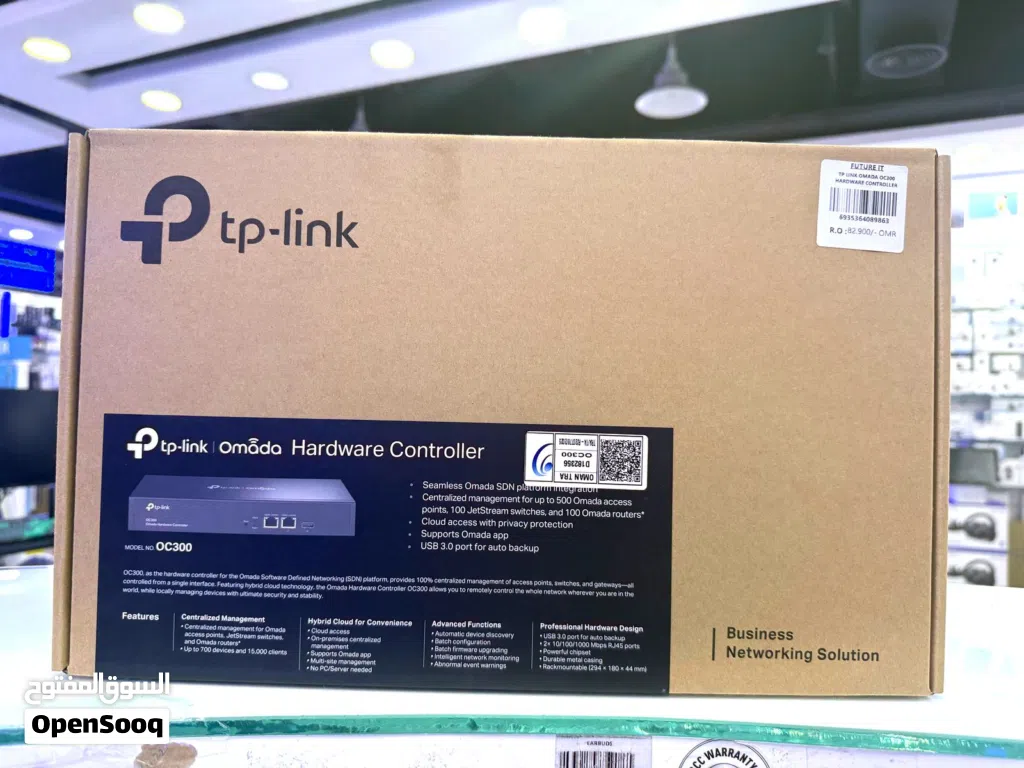
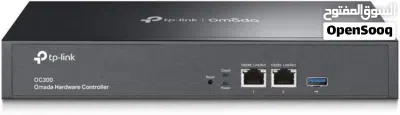
TP-Link Omada Hardware Controller OC300 Manage Up to 500 Devices
- NeighborhoodQurm
- CityMuscat
- Sub CategoryModems and Routers
- CategoryComputers & Laptops
- Listing Id280817910
- Published Date07-05-2026
Description
Product details
Top highlights
Brand TP-Link
Number of Ports 3
Included Components Power Cord, Omada Hardware Controller OC300, Quick Installation Guide, Rackmount Kit, Ethernet Cable
Color Black
Compatible Devices Personal Computer
Switch Type Metal
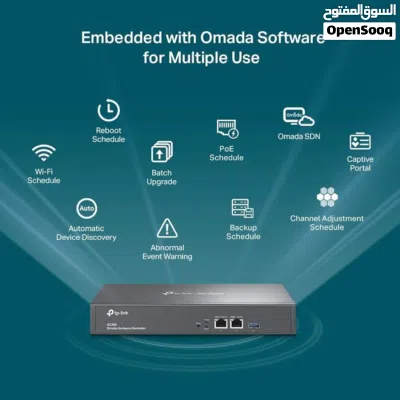
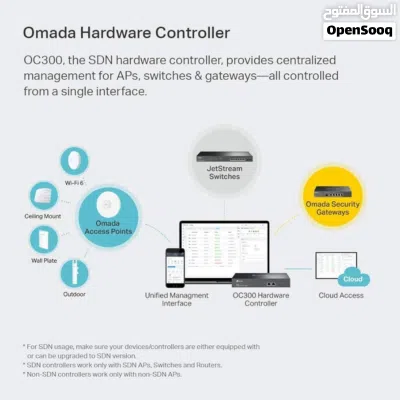
【Hardware Controller with Greater Network Management】Latest Omada SDN hardware controller provides centralized management for up to 500 Omada devices including Omada access points, Omada switches and Omada routers.
【Premium Hardware Design】Industry-leading flexible Rackmount/Desktop design with a powerful chipset, durable metal casing, 2 * gigabit ports and 1 * USB 3.0 port for auto backup.
【Easy Network Monitor & Maintenance】The easy-to-use dashboard makes it simple to see your real-time network status and improve network maintenance for peace of mind.
【Cloud Access with No License Fee】Enjoy cloud service with no license fee with the use of OC300. Remote Cloud access and Omada app brings centralized cloud management of the whole network from different sites—all controlled from a single interface anywhere, anytime.
【SDN Compatibility】For SDN usage, make sure your devices/controllers are either equipped with or can be upgraded to SDN version. OC300 work only with SDN APs, Switches and Gateways. For devices that are compatible with SDN firmware, please visit TP-Link website.
Shop future it qurum
More details contact
Click to Show Phone Number 968944230XX
Top highlights
Brand TP-Link
Number of Ports 3
Included Components Power Cord, Omada Hardware Controller OC300, Quick Installation Guide, Rackmount Kit, Ethernet Cable
Color Black
Compatible Devices Personal Computer
Switch Type Metal
【Hardware Controller with Greater Network Management】Latest Omada SDN hardware controller provides centralized management for up to 500 Omada devices including Omada access points, Omada switches and Omada routers.
【Premium Hardware Design】Industry-leading flexible Rackmount/Desktop design with a powerful chipset, durable metal casing, 2 * gigabit ports and 1 * USB 3.0 port for auto backup.
【Easy Network Monitor & Maintenance】The easy-to-use dashboard makes it simple to see your real-time network status and improve network maintenance for peace of mind.
【Cloud Access with No License Fee】Enjoy cloud service with no license fee with the use of OC300. Remote Cloud access and Omada app brings centralized cloud management of the whole network from different sites—all controlled from a single interface anywhere, anytime.
【SDN Compatibility】For SDN usage, make sure your devices/controllers are either equipped with or can be upgraded to SDN version. OC300 work only with SDN APs, Switches and Gateways. For devices that are compatible with SDN firmware, please visit TP-Link website.
Shop future it qurum
More details contact
Click to Show Phone Number 968944230XX
AI Tags

Frequently Asked Questions
How many listings are there in Modems and Routers?
What's the safest method to contact advertisers?
How can I arrange a safe meeting and verify the product quality?

Irshad Future ITReply to chat within 19 hour
2.3
21-05-2022
General Tips
- Only meet in public places
- Never pay or transfer money in advance
- Inspect the product before you buy it
Sell Anything on OpenSooq
Do you have a similar Listing?
Add New Listing

Want more views?
Promote or Repost your listing
Explore More